
Optional text capture
A thought, a text,
a place to keep it.
Send a clear thought or task to chōbo and keep it as a card. You choose whether to connect your number and allow automatic creation.
How you choose to join
- Open Text capture in Account settings.When enrollment is enabled, sign in and enter a US phone number you control. SMS is optional; the rest of chōbo works without it.
- Choose both permissions.One covers verification and transactional messages. The other permits clear texts to create new cards automatically. Both boxes start unchecked.
- Confirm your number.Choose “Send verification code,” then enter the six-digit code sent to your phone. Verification saves your permissions; it does not activate capture before the service is ready.
The permissions you’ll see
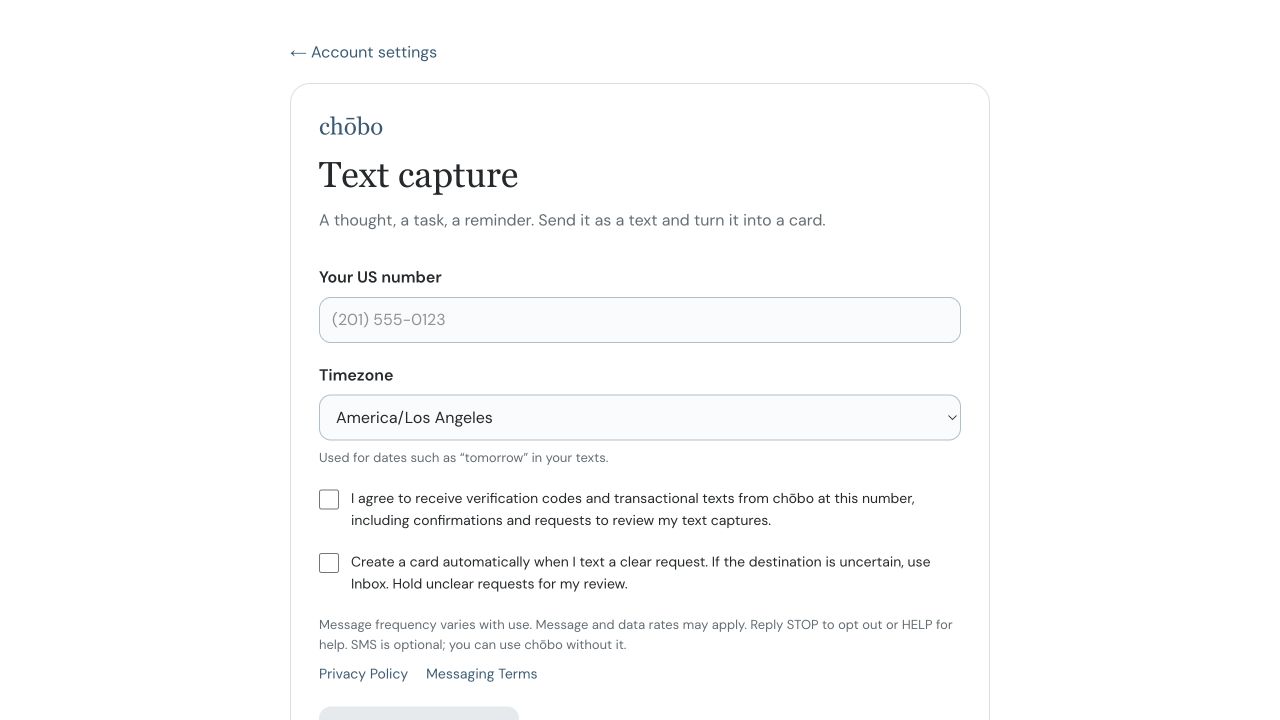
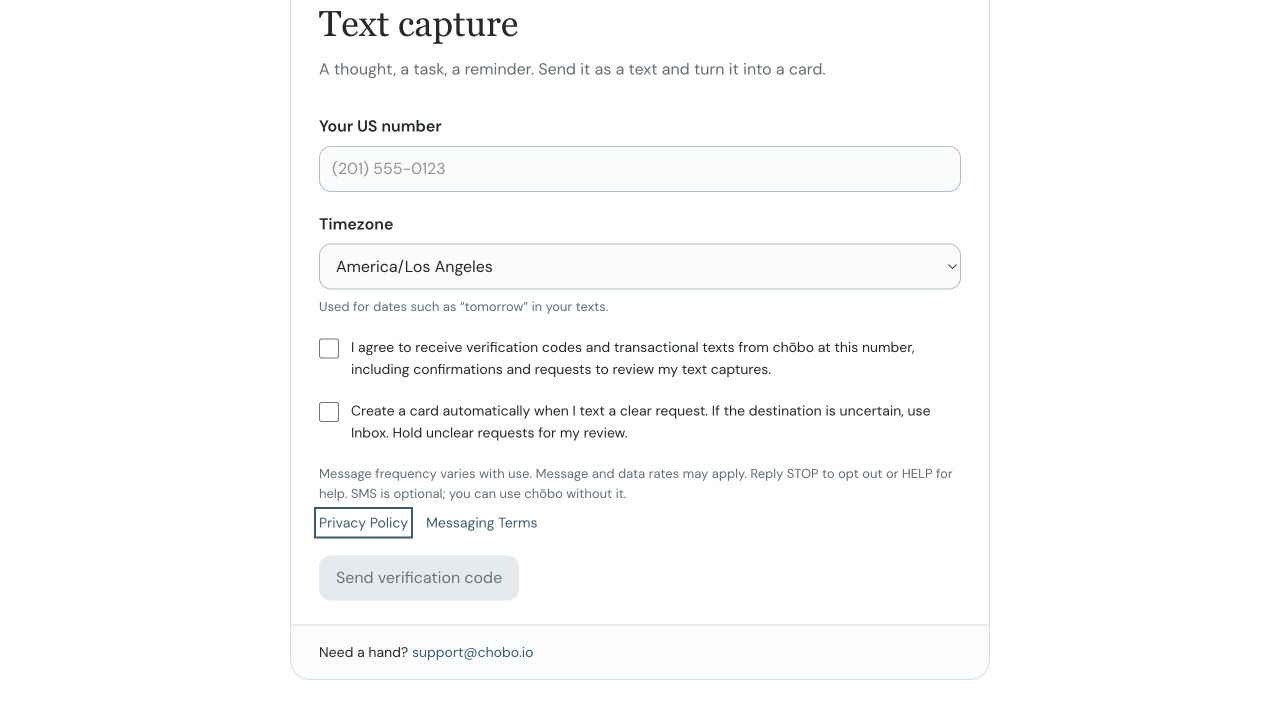
I agree to receive verification codes and transactional texts from chōbo at this number, including confirmations and requests to review my text captures.
Create a card automatically when I text a clear request. If the destination is uncertain, use Inbox. Hold unclear requests for my review.
Message frequency varies with use. Message and data rates may apply. Reply STOP to opt out or HELP for help. SMS consent is not required to use chōbo.
When capture is active, this permission covers new cards only. Unclear requests stay for review. It does not authorize changing or deleting existing cards.
The account enrollment screen
These screenshots show the implemented enrollment form used in our private test. They are provided here because account settings require sign-in. This public page explains enrollment and does not collect phone numbers or record consent.
You stay in control
When messaging is active, reply STOP to stop messages or HELP for support. You can also unlink your number and withdraw consent in Text capture settings. Unlinking does not delete cards already created.
Mobile information and SMS consent are not sold or shared with third parties for their marketing or promotional purposes. Twilio processes verification and messaging needed to operate the service.
Questions? support@chobo.io